

In today’s fast-paced, digitally-driven world, effective team collaboration is more crucial than ever. As organizations continue to embrace remote and hybrid work models, the need for innovative productivity gadgets that can bridge the gap between in-office and remote workers has become paramount. From seamless communication to efficient project management, the right tools can transform the way teams collaborate. Here’s a look at some of the latest productivity gadgets that are enhancing team collaboration.
Smart Collaboration Displays
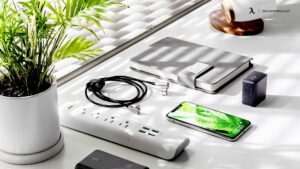
Smart collaboration displays are revolutionizing the way teams interact. These large, interactive screens allow multiple users to collaborate on projects in real-time, regardless of their physical location. Devices like the Microsoft Surface Hub 2S and Google Jamboard offer robust features such as touchscreen capabilities, built-in cameras, and integrated software that supports video conferencing and collaborative brainstorming.
With a smart collaboration display, team members can annotate documents, draw diagrams, and present ideas dynamically. The ability to see and interact with content on a shared screen helps in creating a more immersive and engaging meeting experience. These displays are especially useful for creative teams who rely on visual communication to convey ideas.
Virtual Reality (VR) Meeting Spaces
Virtual reality is no longer confined to the gaming world. VR meeting spaces are emerging as a powerful tool for enhancing team collaboration. Platforms like Spatial and Oculus for Business provide virtual environments where team members can meet, interact, and collaborate as if they were in the same room.
In a VR meeting space, participants can use avatars to represent themselves, making the experience more personal and engaging. They can walk around the virtual room, interact with 3D models, and use virtual whiteboards to brainstorm ideas. This immersive experience can lead to more creative and productive meetings, as it eliminates the distractions and limitations of traditional video conferencing.
Advanced Noise-Cancelling Headphones
Noise-cancelling headphones have become essential in the modern workspace, especially for remote workers who may not have access to a quiet office environment. The latest models, such as the Sony WH-1000XM4 and Bose Noise Cancelling Headphones 700, offer superior sound quality and advanced noise-cancellation technology that can significantly reduce background noise.
For team collaboration, these headphones are invaluable during video calls and virtual meetings. They help ensure that participants can hear and be heard clearly, which is crucial for effective communication. Additionally, many of these headphones come with built-in microphones that deliver clear audio, further enhancing the meeting experience. If you’re also looking for relaxation after a long day, consider treating yourself to facials in Markham.
Smart Notebooks and Pens
For teams that prefer the tactile experience of writing, smart notebooks and pens offer a seamless way to bridge the gap between analog and digital. Devices like the Rocketbook and Moleskine Smart Writing Set allow users to write on paper while automatically digitizing their notes and sketches.
These smart writing tools are integrated with cloud services like Google Drive, Evernote, and OneNote, making it easy to share notes with team members in real-time. This can be particularly useful during brainstorming sessions, meetings, and workshops, as it allows everyone to access and build on each other’s ideas without the need for physical copies. Additionally, these tools can enhance productivity in environments where cobot arms are utilized, as they streamline information sharing and collaboration.
Project Management Tools
While not a physical gadget, project management tools are indispensable for team collaboration. The latest platforms like Asana, Trello, and Monday.com have revolutionized how teams plan, track, and execute projects. These tools offer a variety of features such as task assignments, deadlines, progress tracking, and real-time updates.
With project management tools, teams can collaborate more efficiently by keeping all project-related information in one place. This ensures that everyone is on the same page and can easily access the information they need. The visual nature of these tools, with boards and cards, helps in breaking down complex projects into manageable tasks, making it easier for teams to stay organized and focused.
Smart Whiteboards
Smart whiteboards are another game-changer for team collaboration. Devices like the Samsung Flip and SMART Board offer digital canvases that can be used for brainstorming, teaching, and presentations. In industries like electronics PR, these whiteboards are invaluable tools for planning campaigns and visualizing data. These whiteboards come with touch capabilities, allowing multiple users to write, draw, and interact with content simultaneously.
One of the key advantages of smart whiteboards is their ability to save and share the content created during sessions. This means that notes, diagrams, and ideas can be easily shared with team members who couldn’t attend the meeting. Additionally, many smart whiteboards are compatible with popular video conferencing platforms, making them ideal for hybrid teams.
Wireless Presentation Systems
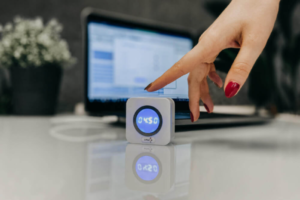
Wireless presentation systems like the Barco ClickShare and BenQ InstaShow simplify the process of sharing content during meetings. These devices allow team members to wirelessly connect their laptops, tablets, or smartphones to a central display, making it easy to present documents, slideshows, and videos without the hassle of cables. Whether you’re discussing travel arrangements or planning a business trip, such as when you need to rent a car at Sarajevo Airport, these systems make collaboration seamless and efficient.
Wireless presentation systems enhance collaboration by enabling quick and seamless transitions between presenters. This is particularly useful in brainstorming sessions and collaborative meetings where multiple team members need to share their ideas. The ability to present wirelessly also reduces setup time, allowing teams to focus on the content rather than the technology.
Portable Scanners
In a world where digital documents are becoming the norm, portable scanners like the Fujitsu ScanSnap and Doxie Go SE are incredibly useful for team collaboration. These compact devices allow team members to quickly digitize paper documents, receipts, and notes, making it easy to share them with colleagues. For example, if you’re coordinating a project with a local fence company in St. Augustine, these scanners can streamline the process of sharing important paperwork and plans.
Portable scanners are especially valuable for remote teams who need to collaborate on physical documents. By digitizing and sharing documents in real-time, team members can provide feedback, make edits, and keep everyone updated, ensuring that no important information is lost.
Team Collaboration Software
Team collaboration software like Slack and Microsoft Teams has become the backbone of modern workplace communication. These platforms offer a range of features such as instant messaging, video conferencing, file sharing, and integration with other productivity tools.
By centralizing communication, team collaboration software helps reduce the need for emails and meetings, allowing teams to collaborate more efficiently. The ability to create channels or groups for specific projects or topics ensures that conversations are organized and focused. Additionally, the integration with other tools means that team members can access all the resources they need from one place. For example, if you’re looking for clinical hypnotherapy in Lindon, integrating such resources within your team’s workspace can streamline access and information sharing.
AI-Powered Assistants
AI-powered assistants like Google Assistant, Amazon Alexa, and Apple’s Siri are becoming increasingly integrated into the workplace. These virtual assistants can help streamline various tasks such as scheduling meetings, setting reminders, and answering queries.
For team collaboration, AI-powered assistants can be used to automate routine tasks, freeing up time for more important activities. They can also integrate with other productivity tools, providing team members with quick access to information and resources. As AI technology continues to evolve, these assistants are becoming more capable and versatile, offering even greater support for team collaboration. For example, they can assist in monitoring various metrics, such as a turbine flow meter, to ensure smooth operations.
Digital Kanban Boards
Digital Kanban boards like Trello and Jira have become essential tools for visualizing work, optimizing workflow, and improving team collaboration. These boards allow teams to move tasks through different stages of completion, providing a clear overview of project progress. Each task is represented by a card that can be moved across columns, typically labeled “To Do,” “In Progress,” and “Done.” For a fun team-building experience, consider trying an escape room in Chicago, which can also enhance collaboration skills in a unique setting.

Using digital Kanban boards helps teams to identify bottlenecks, manage workloads, and ensure that everyone is aligned on priorities. The visual representation of tasks makes it easier to spot issues and adjust plans accordingly, promoting a more agile and responsive workflow.
Conclusion
In conclusion, the latest productivity gadgets are transforming the way teams collaborate, making it easier to communicate, share ideas, and work together effectively. From smart collaboration displays and VR meeting spaces to advanced noise-canceling headphones and AI-powered assistants, these tools are designed to enhance the collaborative experience and drive productivity.
By leveraging these gadgets, organizations can create a more connected and engaged workforce, regardless of where team members are located. As technology continues to advance, the possibilities for enhancing team collaboration are virtually limitless. Investing in the right tools can make all the difference in achieving success in today’s competitive business environment.